

Search
Find nodes by substring. Matches stay opaque, non-matches dim to alpha 0.1. Autocomplete dropdown to narrow further.
Search is how you find a specific node (or a named subset) inside a laid-out graph. It doesn’t change what’s visible — it dims everything that doesn’t match so the needles pop out of the haystack. The full structure stays on screen; you keep context.
The mental split: Filter carves (hidden means gone), search highlights within the carved view (non-matches dim, stay in place). Filter first to narrow; search to find.
How it behaves
Section titled “How it behaves”- Matches node
labelandid, case-insensitive, substring (not regex). - Matches stay at full opacity, full size.
- Non-matching visible nodes dim to alpha 0.1. You can still see where they are — the layout stays intact — but matches dominate the visual weight.
- Edges between two non-matches are hidden completely. Otherwise you’d see a tangle of edges around dimmed nothing.
- Zero-match query shows the banner “No matches” and does not dim the rest. A typo shouldn’t make your graph disappear.
Search is fast even on 1M nodes — the highlight updates in under a tenth of a second, which is well below perception.
Autocomplete dropdown
Section titled “Autocomplete dropdown”Type in the search box and a dropdown shows up to 25 matching labels. Keyboard:
| Key | Action |
|---|---|
| ↑ / ↓ | Navigate suggestions |
| Enter | Narrow to the focused suggestion |
| Escape | Close dropdown, keep query |
| Click outside | Same as Escape |
Footer reads Showing 25 of N matches when more exist than fit. Long labels truncate with ellipsis; the full string appears as a native tooltip on hover.
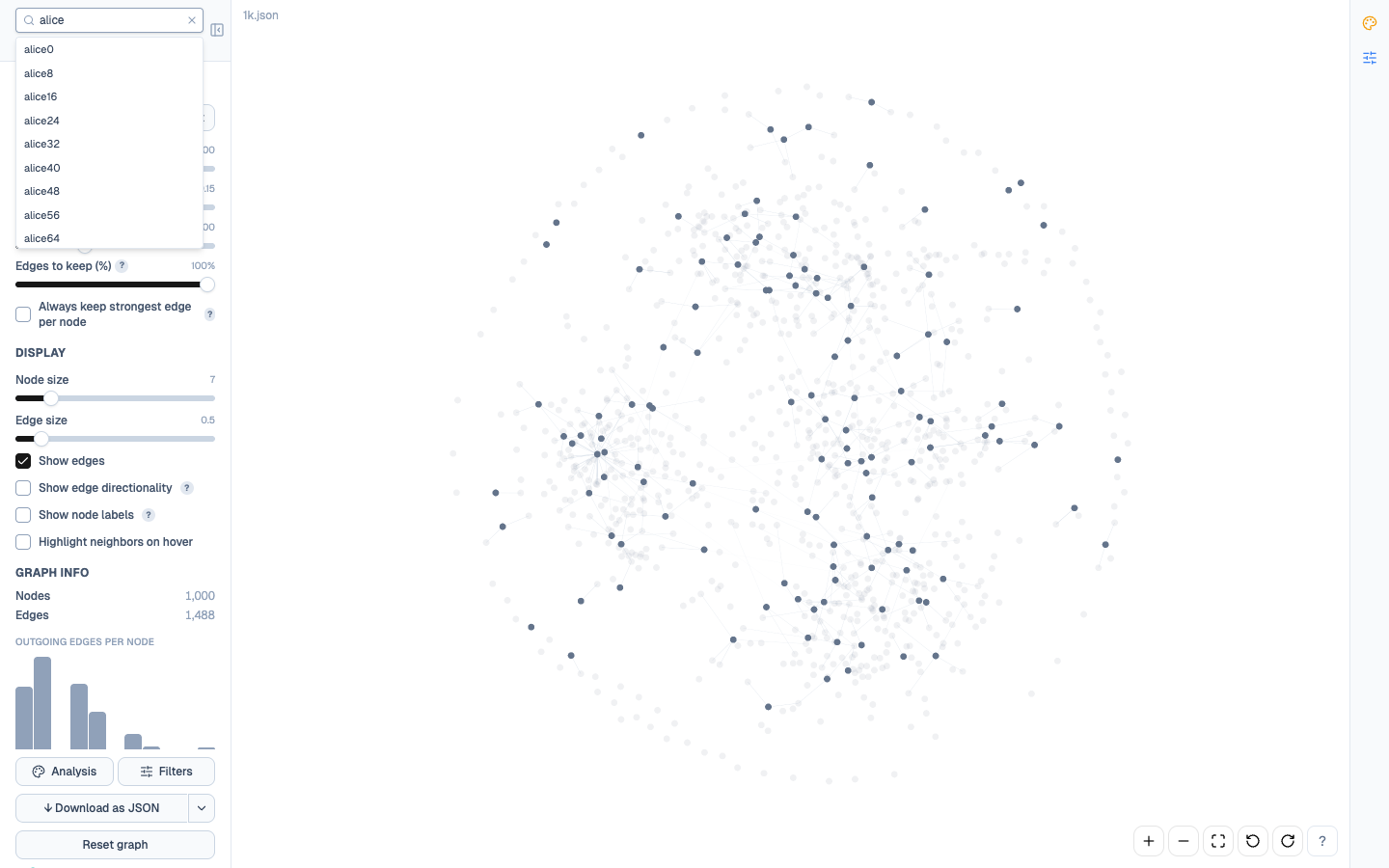
Selecting an individual suggestion narrows the highlight from “all substring matches” to “this specific node” — the match count drops to 1 and every other node dims. Useful when you know exactly which node you wanted but can’t eyeball it in a crowded view.
Search + filter precedence
Section titled “Search + filter precedence”Filter visibility always wins over search. Concretely: if a node is hidden by a filter, it stays hidden regardless of whether it matches the search query — you can’t resurrect a filtered node via search.
That means a workflow like “filter to the cluster I care about, then find specific nodes inside it” works naturally. The match count N/M you see in the search result reflects matches within the filtered subset, not the full graph.
If your search seems to find nothing and you know the node exists, check the filter state first (top of the Filter panel shows N/total nodes match — if N < total something is filtered out).
Gotchas
Section titled “Gotchas”- Substring, not regex.
alice.*smithmatches literally as eight characters; it doesn’t treat.*as “any characters.” If you need patterns, filter by a computed property upstream and import. - Search doesn’t expand the visible set — it only re-colours. If your target node is hidden by a filter, clear the filter first.
- Labels and id only. Properties like
age,email,departmentare not searched. Use a filter instead. - The dropdown samples the first 25 matches it finds while scanning nodes in their source order — stable but arbitrary. If your target appears later in the file and you have >25 earlier matches, narrow the query.